Automatic AVD/W365 Feed discovery for mobile apps
Did you know we can automate this process? I will explain how to do this!
Fast path for URL: https://rdweb.wvd.microsoft.com/api/arm/feeddiscovery
The problem explained
When downloading the apps for your mobile devices, we get this window after installing:
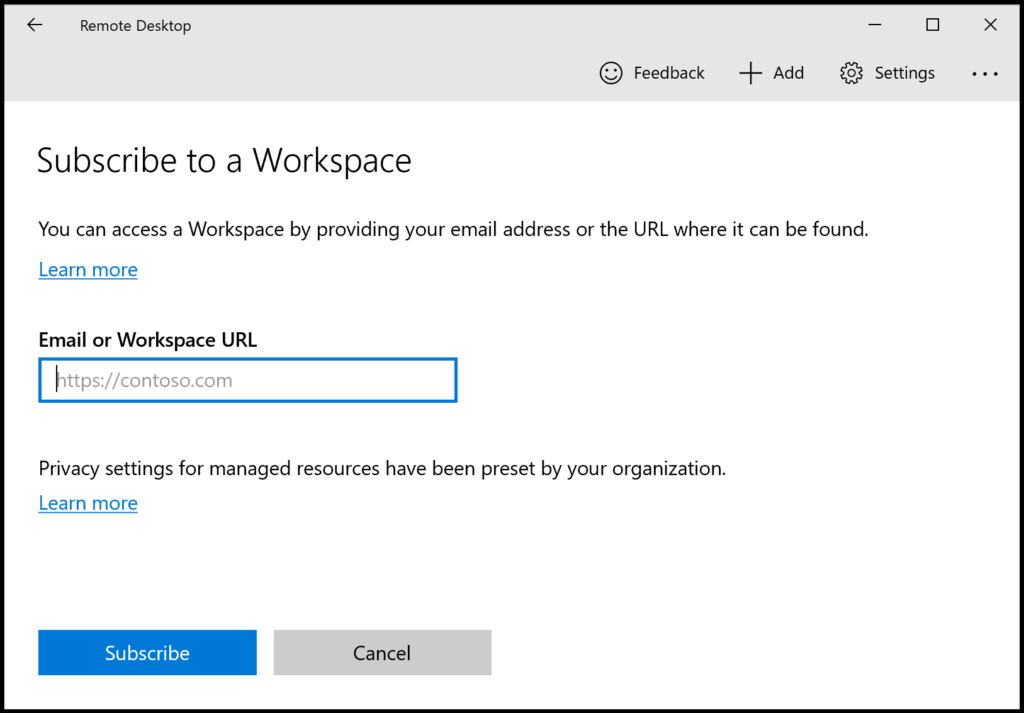
After filling in our emailadress that has access to a Azure Virtual Desktop hostpool or Windows 365 machine, we still get this error:
- We couldn’t find any Workspaces associated with this email address. Try providing a URL instead.
Now the client wants a URL, but we don’t want to fill in this URL for every device we configure. We can automate this through DNS.
How to configure the Feed Discovery DNS record
To configure your automatic Feed Discovery, we must create this DNS record:
| Record type | Host | Value |
|---|---|---|
| TXT | _msradc | https://rdweb.wvd.microsoft.com/api/arm/feeddiscovery |
Small note, we must configure this record for every domain which is used for one of the 2 remote desktop solutions. If your company uses e.g.:
- justinverstijnen.nl
- justinverstijnen.com
- justinverstijnen.tech
We must configure this 3 times, once for every domain.
Let’s login to our DNS hosting for the domain, and create the record:

Then save your configuration and wait for a few minutes.
Let’s test the configuration
Now that our DNS record is in place, we can test this by again, typing our email address into the application:
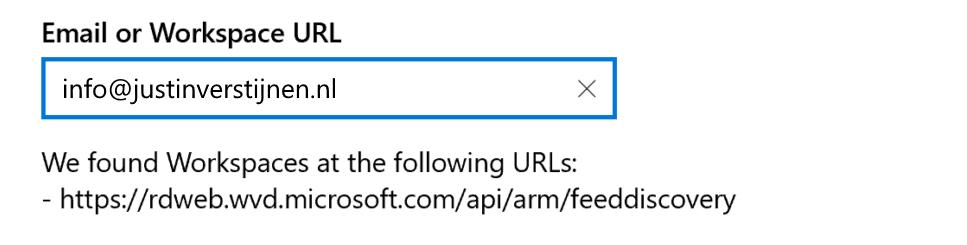
Now the application automatically finds the domain and imports the feed discovery URL into the application. This minor change solves a lot of headache.
Knowledge check
This quiz needs JavaScript to show the questions and feedback.
Summary
Creating this DNS record saves a lot of problems and headache for users and administrators of Azure Virtual Desktop and/or Windows 365. I hope I explained clearly how to configure this record and described the problem.
These sources helped me by writing and research for this post;
End of the page 🎉
You have reached the end of the page. You can navigate through other blog posts as well, share this post on X, LinkedIn and Reddit or return to the blog posts collection page. Thank you for visiting this post.
Support the blog
