Test Azure Virtual Desktop RTT with my AVD Experience Estimator
Sometimes, we need to check the connection from end user devices to a service like Azure Virtual Desktop. Especially when users are working from different locations, it can be useful to compare the response times to different Azure regions. Previously there was a tool from Microsoft available, the Azure Virtual Desktop Experience Estimator, but they have discontinued that.
I created my own simple and online AVD Experience Estimator to compare Azure regions directly from a web browser. There is no need to download or run a script. The tool displays the measured HTTPS Round Trip Time (RTT) and an estimated latency for each tested region.
In the past I used a custom script which kind of did the same but always requires multiple steps. Downloading a script, taking it to the affected computer, dealing with administrator permissions and the PowerShell Execution Policy and such: https://justinverstijnen.nl/azure-virtual-desktop-connectivity-script/. I wanted to make it much easier to just check the connectivity in a way just like Microsoft did previously.
The online AVD Experience Estimator
I have the open-source tool available on my website, which can be opened here:
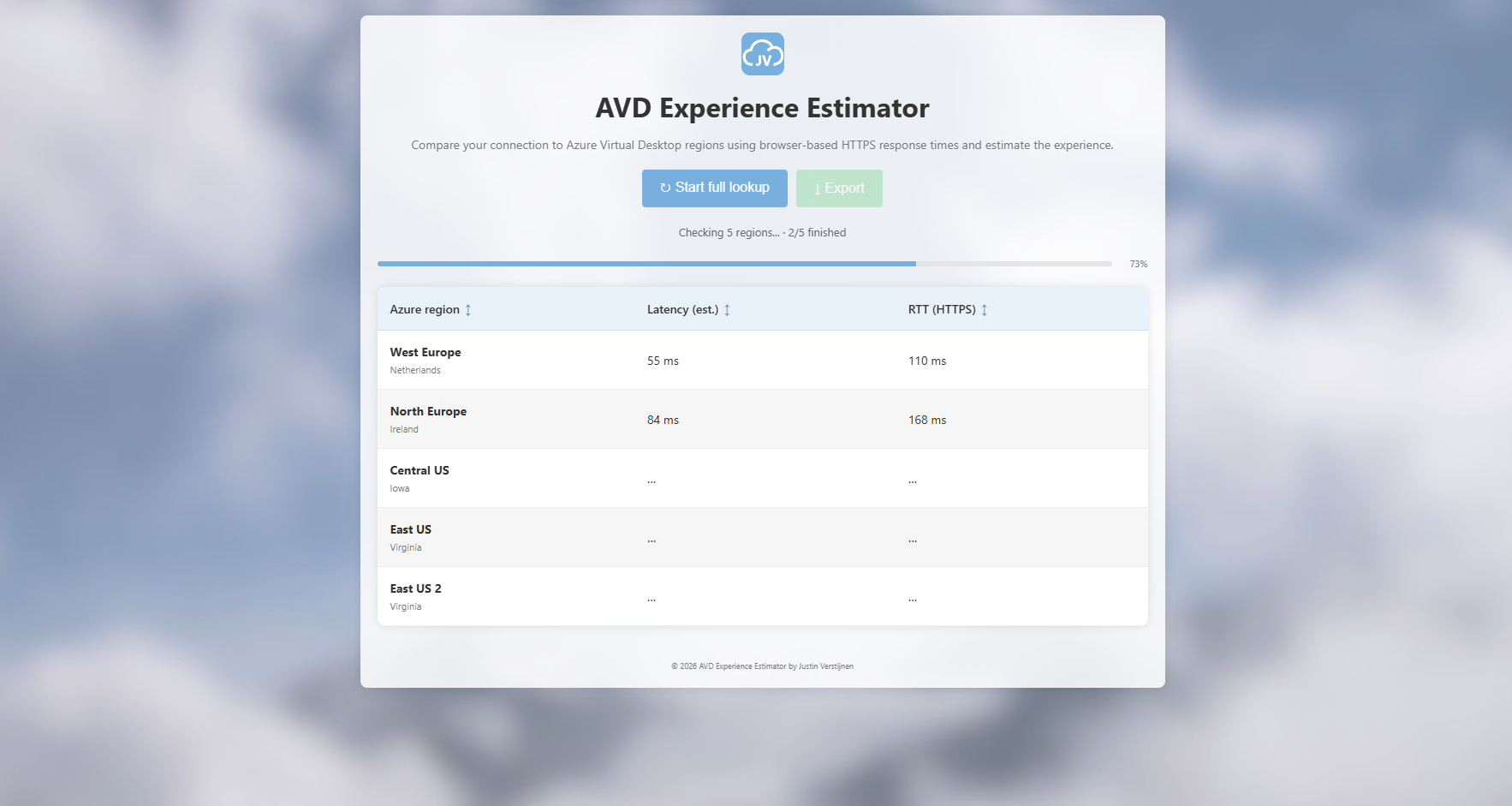
The tool automatically starts by measuring some of the most used regions out there. This is by design to save data and keep the screen clean. You can then perform a full lookup to most of the known regions to have support for Azure Virtual Desktop. From these lookups, some measurements are done:
- Latency: The time in milliseconds a package travels from A to B
- Round Trip Time: The time in milliseconds a package travels from A to B and back to A
What is Round Trip Time (RTT)?
The Round Trip Time is the time in milliseconds that a request needs to travel from its source to its destination and back to the source. In applications like Remote Desktop, a higher RTT can make virtual desktop performance really slow and unresponsive like typing, clicking and moving windows will become slow, getting delayed and stuttery.
According to Microsoft, an actual Azure Virtual Desktop connection with an RTT below 100ms is generally ideal, while a connection above 200ms can impact the user experience. Keep in mind that these are guidelines for actual AVD connections, not direct thresholds for the HTTPS measurements from this tool.
The online estimator described
The tool compares HTTPS response times to Azure regions from the device and browser you are using. It works as described below:
- When opening the website, the tool automatically starts a lookup of the first
5available regions with configured test endpoints - By clicking
Start full lookup, the tool checks all regions that have a configured test endpoint. Multiple regions are tested in parallel - The results are displayed in a table with the Azure region,
Latency (est.)andRTT (HTTPS) - You can sort the results by clicking on the column headers, for example to find the region with the lowest measured response time
- By clicking
Export, you can export the results to a JSON file if needed
It is important to know that the tool does not measure the actual RTT of an RDP session or use ICMP ping. Factors like your internet connection, browser, VPN, proxy and the network path can influence the results. The tool also does not test all required Azure Virtual Desktop firewall endpoints. An unavailable result therefore does not automatically mean that Azure Virtual Desktop is blocked. The tool is designed to be a replacement for the old discontinued AVD Experience Estimator tool from Microsoft.
Summary
This online tool is useful to get a first impression of the response times to different Azure regions. It can be used during an initial setup, when comparing regions or as a first step during troubleshooting. For troubleshooting an existing Azure Virtual Desktop session, I recommend checking the actual connection data in Azure Virtual Desktop Insights as well as they give you the actual measured data. This tool can be used to give a basic understanding of the realtime experience from a certain network/device to one of the regions.
Thank you for reading this guide and I hope it was useful.
These sources helped me by writing and research for this post;
- https://tools.justinverstijnen.nl/avdexperienceestimator/
- https://learn.microsoft.com/en-us/troubleshoot/azure/virtual-desktop/troubleshoot-connection-quality#addressing-round-trip-time
- https://learn.microsoft.com/en-us/troubleshoot/azure/virtual-desktop/troubleshoot-connection-quality
- https://learn.microsoft.com/en-us/azure/virtual-desktop/insights-use-cases
End of the page 🎉
You have reached the end of the page. You can navigate through other blog posts as well, share this post on X, LinkedIn and Reddit or return to the blog posts collection page. Thank you for visiting this post.
Support the blog
