Configuring Intune Enrollment DNS records: Nonsense or required?
When you configure Microsoft Intune and/or custom domains in Microsoft 365, one of the recommendations you will often see is to create DNS CNAME records like:
enterpriseenrollment.contoso.comenterpriseregistration.contoso.com
A lot of us IT guys will add these records during the initial setup without really knowing what they do. In many environments, Intune enrollment works perfectly fine without them which I had done for some time.
So do you actually need these CNAME records? My short answer is: not always. Let’s take a look into the records and what they can do for you.
What are Intune enrollment CNAME records?
The CNAME records are used for automatic discovery during device enrollment. Microsoft recommends creating these CNAME records:
| Record type | Name | Points to |
|---|---|---|
| CNAME | enterpriseenrollment.domain.com | enterpriseenrollment.manage.microsoft.com. |
| CNAME | enterpriseregistration.domain.com | enterpriseregistration.windows.net. |
These records need to be configured in your DNS hosting service and on every domain you use for your Entra ID users. A good thing to take into account when configuring custom domains for Microsoft Entra ID and Microsoft 365.
Login to your DNS hosting service and create the records as stated above. Below you can find my configuration:

What happens without the CNAME records?
These records help devices discover the Microsoft Intune enrollment service automatically instead of asking the user to manually provide a server address. However, if we login to Microsoft Intune on a device, we already carry our UPN with the actual domain name included. Microsoft documents configuring the records as optional for many scenarios.
Source: https://learn.microsoft.com/en-us/intune/device-enrollment/windows/create-cname-autodiscovery
In modern Microsoft Intune deployments, especially with Microsoft Entra ID joined or registered devices, enrollment often still works without any of these DNS configurations as we already passed the username and domain in the form of a User Principal Name (UPN) or simply referred as email address. This is because many enrollment methods today already know where to connect, like:
- Windows Autopilot
- Microsoft Entra join with automatic MDM enrollment
- Company Portal enrollment
- Bulk enrollment methods
- Android Enterprise enrollment or ADE
In these scenarios, Microsoft already provides the enrollment configuration through the enrollment workflow itself and no trace of configuration/non-configuration is being noticed.
When are the CNAME records actual useful?
The records mainly help with user-driven enrollment scenarios. A common example is a user opening:
- “Access work or school”
- “Connect”
- Entering their corporate email address
Windows then tries to discover the MDM enrollment service automatically. If the DNS records exist, Windows can find the Intune enrollment endpoints without asking the user for additional information. Microsoft states that the records reduce user interaction and simplify enrollment discovery.
In environments with lots of BYOD devices or manual enrollment workflows, the records can still be useful to have on your domain(s).
Why bother creating those records?
Even though the records are optional in many scenarios, some admins still add them for consistency.
Reasons include:
- Supporting fallback enrollment scenarios
- Reducing support calls during manual enrollment
- Keeping Microsoft recommended DNS records in place
- Preparing for future enrollment workflows
Checking the records configuration in Microsoft Intune
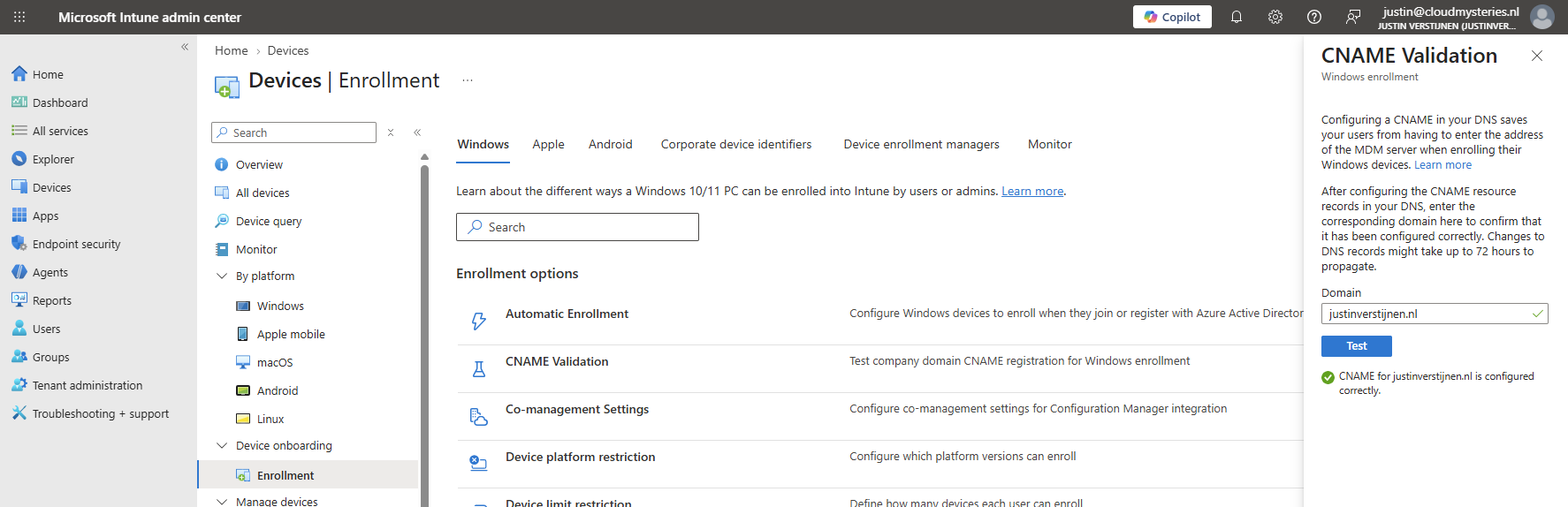
In Microsoft Intune, you can check your configuration of these records and if Intune can find your configuration. This can be found at:
Devices -> Windows -> Enrollment -> CNAME Validation
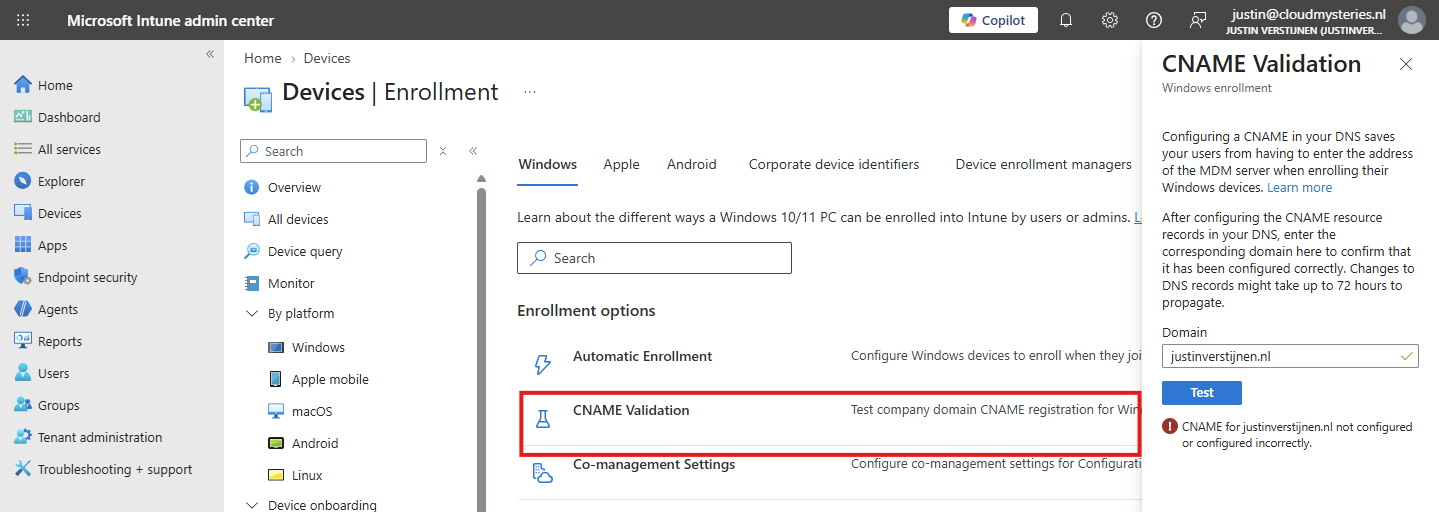
After configuring the records, the status will look like this:
Summary
Intune enrollment CNAME records help devices automatically discover the Microsoft enrollment service during manual or user-driven enrollment. In many modern Intune deployments, especially those using Autopilot or automatic MDM enrollment, the records are optional because Microsoft already handles the enrollment configuration through other methods as the integrations with Windows are much better these days.
But do you need these records for your systems to work? For most modern Intune deployments, probably not.
If your environment mainly uses:
- Autopilot
- Microsoft Entra join
- Automatic MDM enrollment
- Company Portal enrollment
Then Intune enrollment will usually work without these DNS records. But if you support manual enrollment workflows, BYOD onboarding, or want automatic discovery available everywhere, adding the records still makes sense. The important thing is understanding that these records are mainly about enrollment discovery and user experience, not a hard technical requirement for Intune itself.
Thank you for reading this post and I hope it was helpful!
These sources helped me by writing and research for this post;
End of the page 🎉
You have reached the end of the page. You can navigate through other blog posts as well, share this post on X, LinkedIn and Reddit or return to the blog posts collection page. Thank you for visiting this post.
Support the blog
