How I bumped up Microsoft Secure Score towards 100%
Categories:
4 minute read
My Microsoft Secure Score subpages
These subpages contains the different pillars to address:
On these pages I did the recommendations step-by-step and added some non-counting advices of myself and some things I found out in my work. You can also find all pages on the left side in the sidebar under “Secure Score”.
What is the Microsoft Secure Score?
The Microsoft Secure Score is a dynamic index number on scale of 0% to 100% that automatically scans your Microsoft tenant for possible enhancements on the security area. It gives several recommendations for us administrators to strengthen the security, based on zero trust, and based on those 4 pillars:
- Identity
- Data
- Devices/Endpoints
- Apps
The recommendations Microsoft gives are based on years of experience, cybersecurity trends and industry accepted benchmarks (like CIS). Some of the recommendations arrived from the older Active Directory era, but also from modern solutions and 3rd party community benchmarks like CIS and ISO 27001. The recommendations will dive into several different attack vectors:
- Protection against insider risks
- Protection against attackers
- Disabling unsafe protocols or features
- Blocking unsafe logins
- Classify your sensitive data
By getting your Secure Score to 100% means you are using 100% of the Microsoft Security toolbox. This doesn’t mean that you are unhackable, which you technically would never be able to achieve.
Starting point
When started out, my tenant contained around 8 users and 2 devices and have Business Premium licenses assigned to the users with Entra P1 included. My total secure score was 31,65% and the Identity pillar was 42,42%:
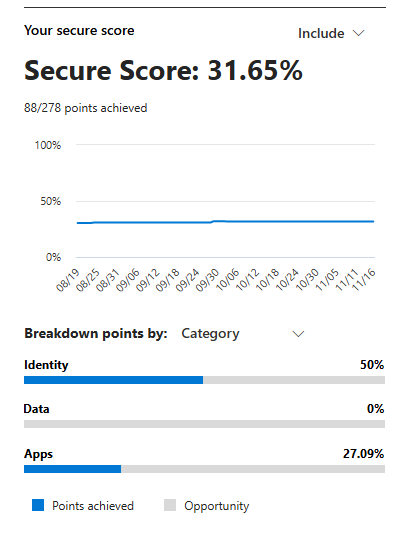
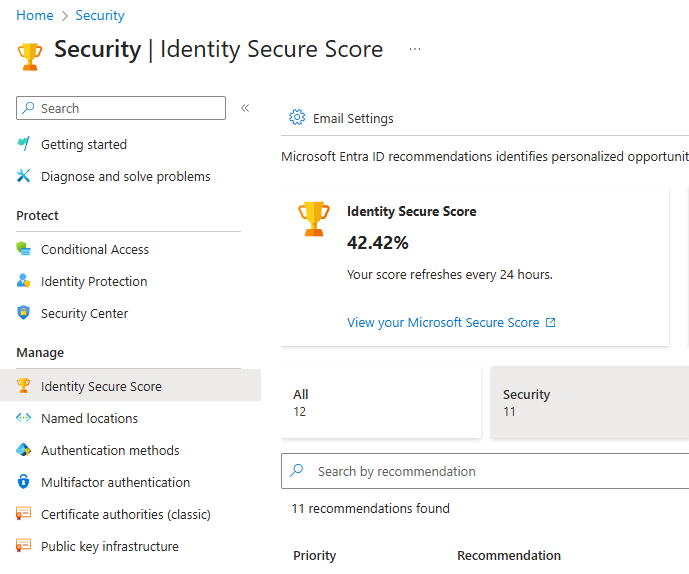
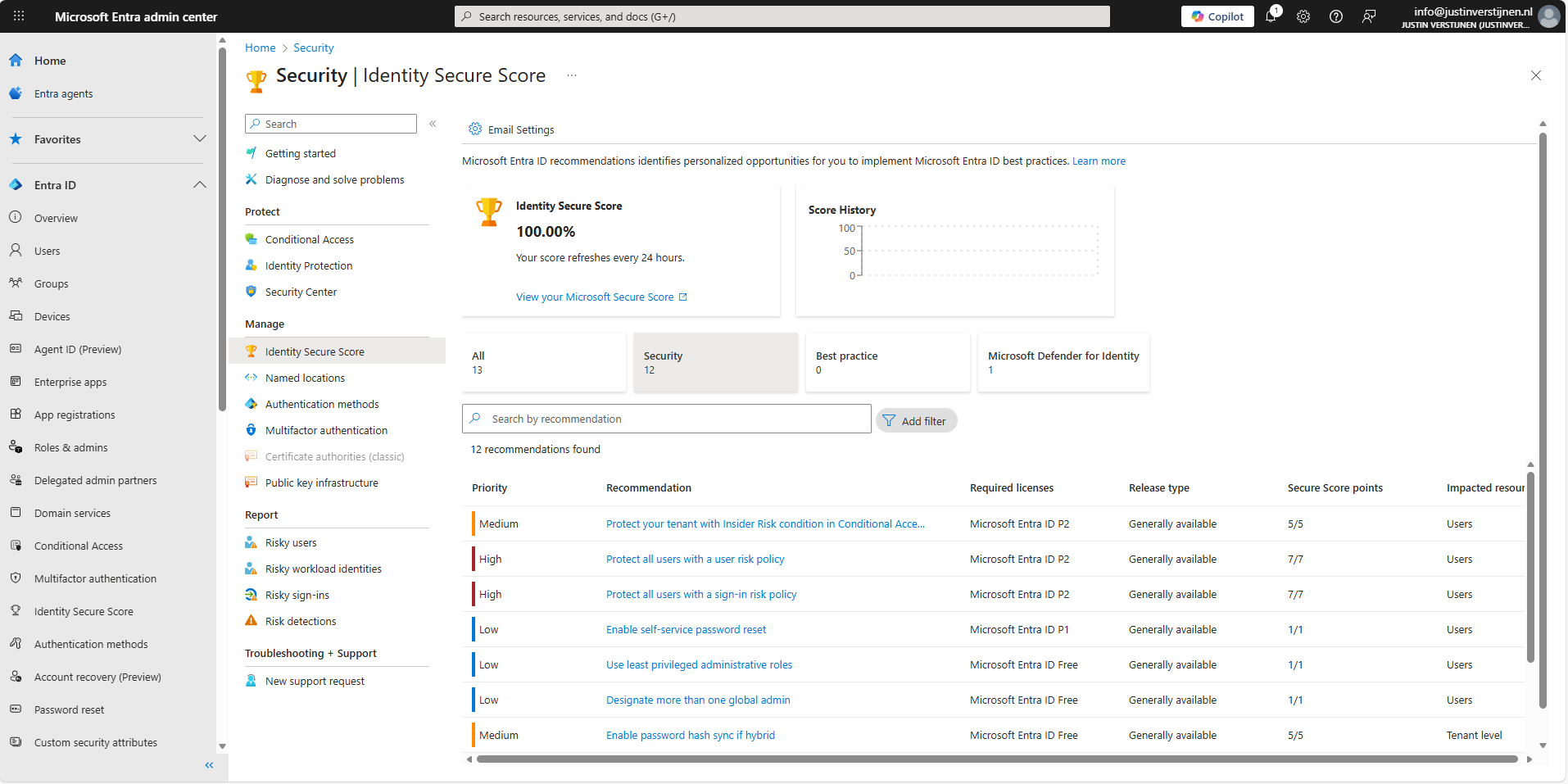
While I mostly use the Secure Score of the security.microsoft.com portal, as this contains every pillar we also have the secure score from the Entra portal. As you can see, they are a bit inconsistent. For Zero Trust to work, we have to defend ourselves on every pillar.
Licensing requirements
All the stuff we do on this pages needs the following licenses:
- Microsoft 365 Business Premium
- Windows 11 Enterprise / Education licenses
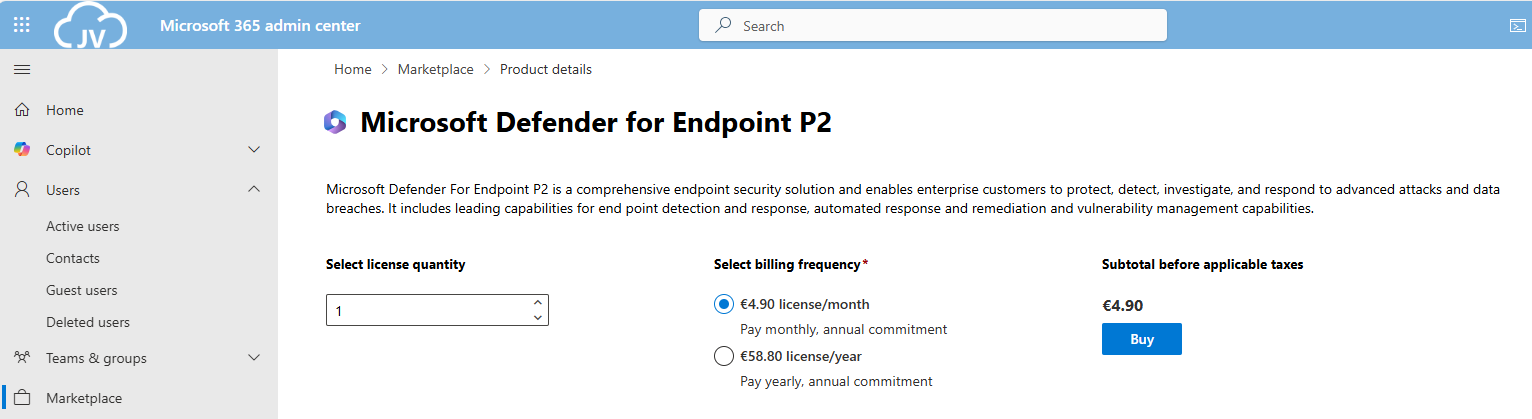
- Microsoft Defender for Endpoint P2
- Microsoft Entra ID P2
- Microsoft 365 E5 for the Apps recommendations (optional)
We can do most of the stuff with Business Premium licenses, which most small and bigger business should use. For the guides I ordered some standalone licenses to gain access to every setting available.
And for optimal Identity security, we need Entra ID Premium Plan 2 licenses assigned to every user:
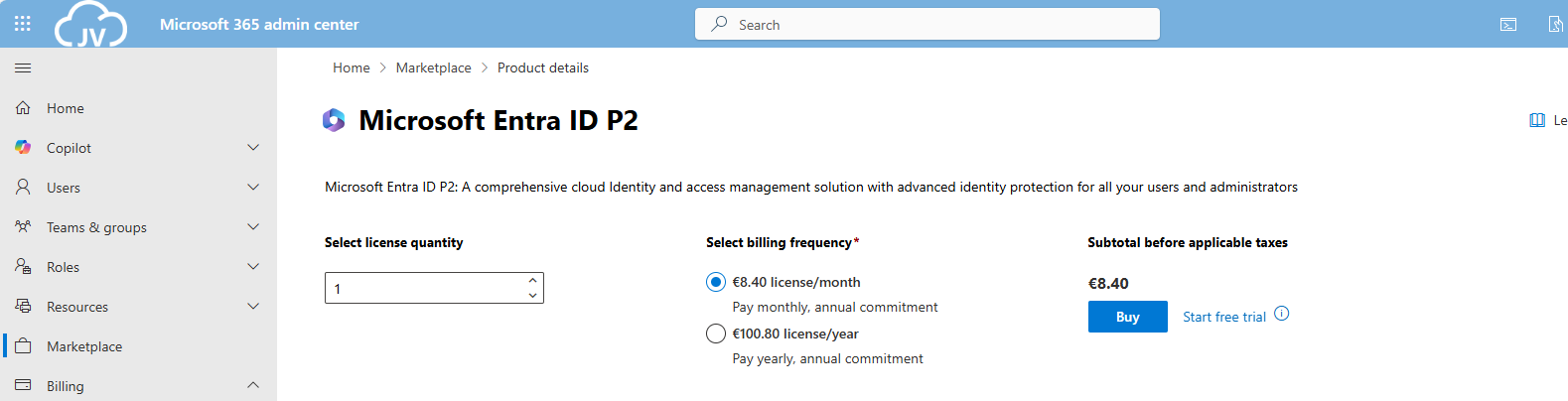
It is not essentially required to have those licenses, but it will drastically expand our toolbox to secure all Zero Trust pillars.
My final Microsoft Secure Score (after the guides)
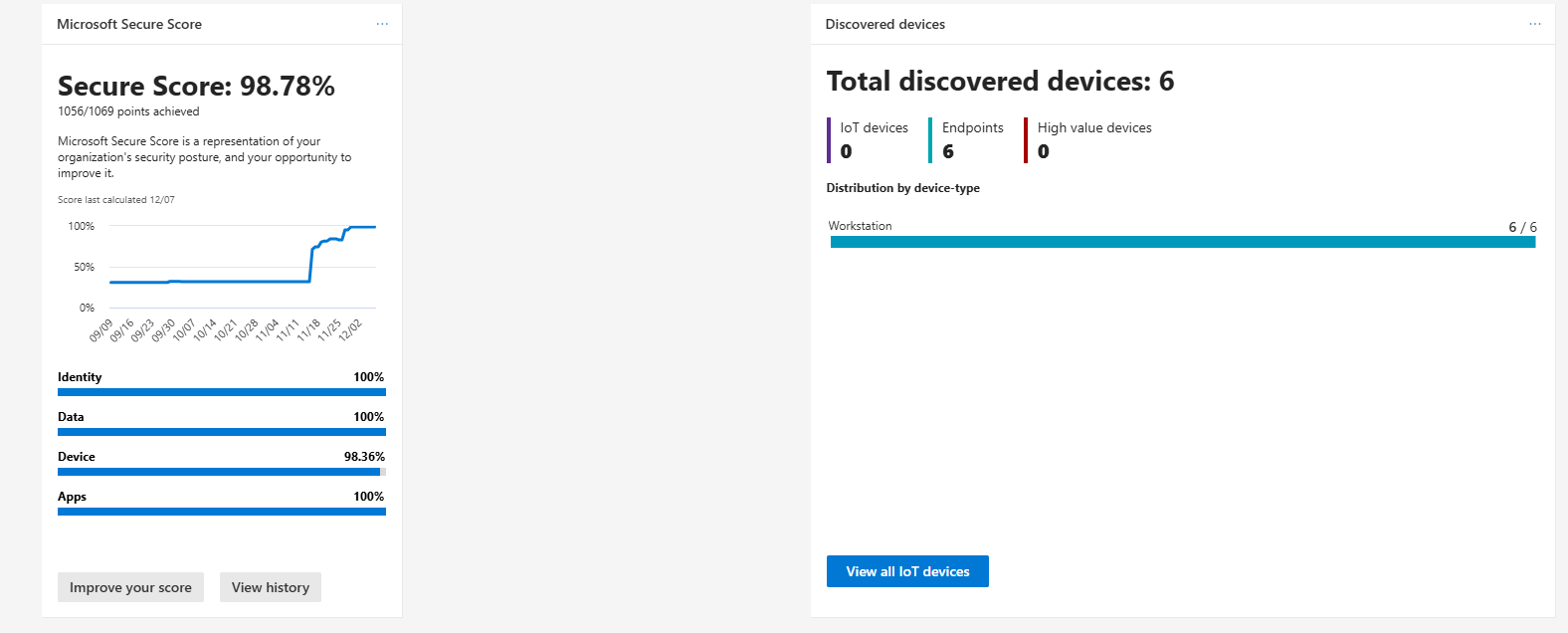
As I did not implement every single setting, my Secure Score was hanging at 98,7% which is still a great score. In my environment, I did not have any Windows Enterprise or Education devices, so some of the recommendations were not achievable.
Summary
Getting the Secure Score of my tenant was a very fun and interesting experience. Still I found out some settings I have never heard about before and did understand some admin centers a bit better.
Altough, some settings feel more like a compliance thing than actually getting your security level up, but nevertheless it was very fun.
Thank you for visiting this page and I hope it was helpful.
End of the page 🎉
You have reached the end of the page. You can navigate through other blog posts as well, share this post on X, LinkedIn and Reddit or return to the blog posts collection page. Thank you for visiting this post.
If you find this page and blog very useful and you want to leave a donation, you can use the button below to buy me a beer. Hosting and maintaining a website takes a lot of time and money. Thank you in advance and cheers :)

The terms and conditions apply to this post.