My Azure Naming Framework
My Azure Naming Framework
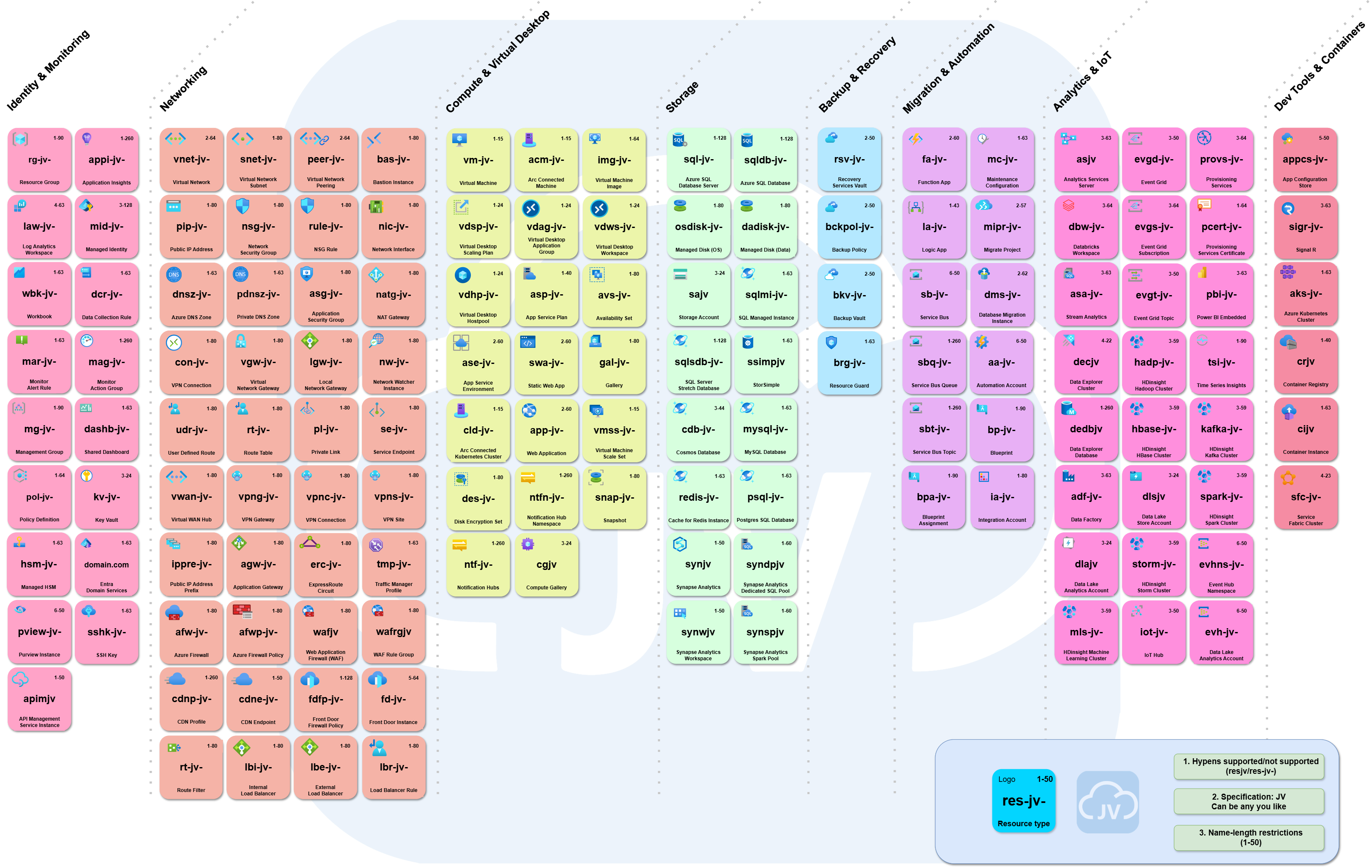
The picture below shows how I name my Azure Resources in my own environment. Creating a good naming strategy from the very beginning is a great way to maintain overview over your resources and instantly know what they do.
Why naming Azure resources is important
When working in Azure every day, naming is not “just for looks”. It helps me and collegues or partners to work faster and with fewer mistakes. Here’s what can be gained from good names:
- I find things faster (in the portal, in scripts, and in logs)
- I know what a resource is for without opening it
- I can spot duplicates or wrong environments (like dev vs prod)
- I can manage cost and ownership better because names follow the same meaning
- Automation becomes easier because my naming rules stay consistent
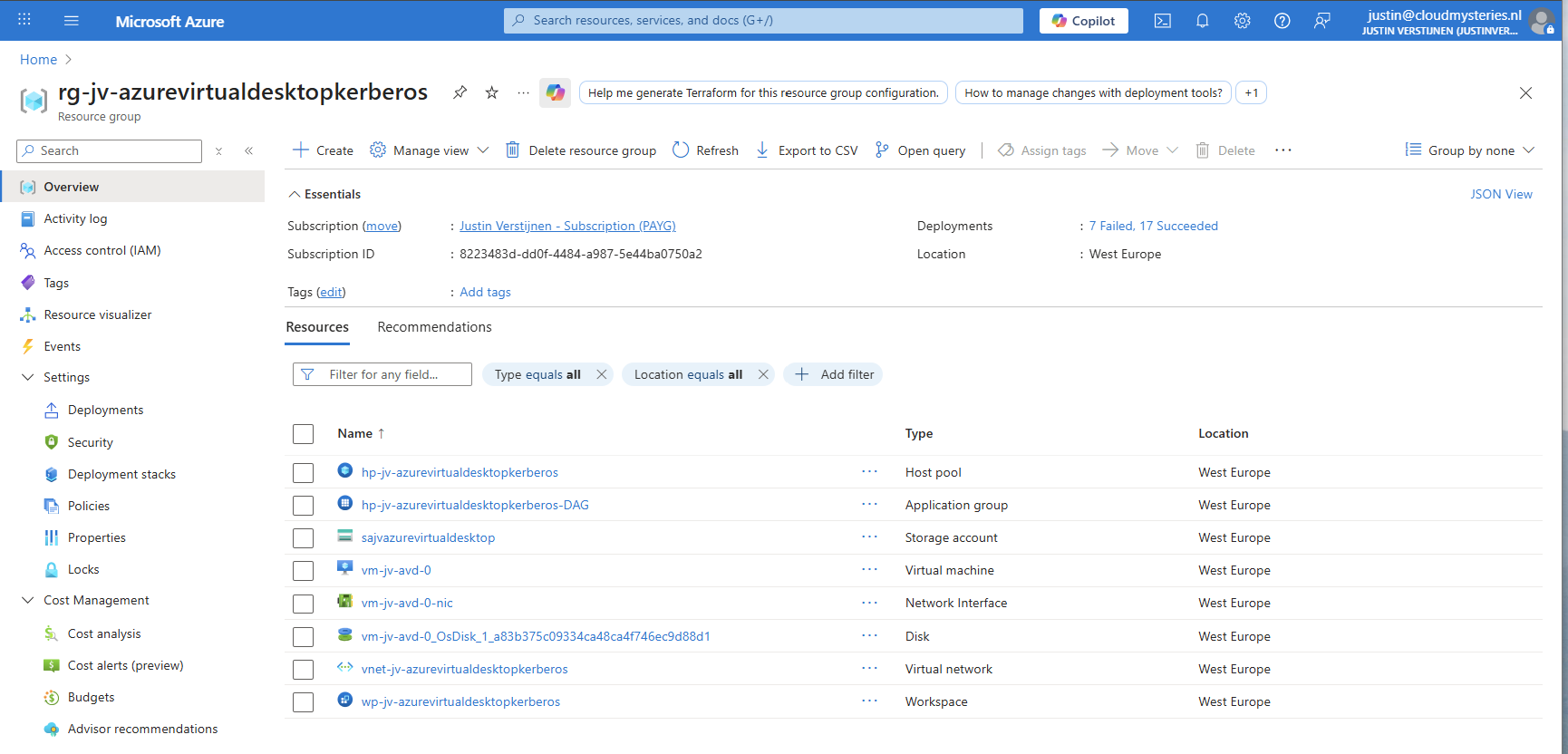
However, some resources cannot be named beforehand. Like a Virtual Machine that automatically gets a disk and NIC. If we get the chance to rename the resource, we will do this of course. The automatic names also make very clear what the resource is related to.
The format itself
I like a naming format that is easy to use but tells every Azure Engineer what the purpose is of a particular resource.
- specification-resource-type-resource-purpose
If you want, you can add a “prod” or “dev” step at any place you want to separate production from testing and development environments.
I keep the format consistent, even if not every part is available for every resource type. Some resource don’t support hyphens in the names, mostly public resources like Storage Accounts and Image Galleries, there I use the same setup but then without hyphens. Also I like to use generic abbreviations which are also used by Microsoft and 3rd parties to keep everything recognizable.
Some examples
As you might have already seen in some of my posts, I use this format a lot and almost exclusively for naming the Azure resources.
Summary
In this post I explained why naming Azure resources matters, and how I handle my personal Azure environment where the resources are named. My approach is simple: I follow the naming policy when I can set names, and I accept Azure auto-naming when Azure creates resources for me. Then, if needed, I use Azure Policy to enforce the naming rule so the tenant stays consistent over time and after doing several demonstrations.
Here is the framework again, but then in image.
Thank you for reading this post and I hope it was helpful!
These sources helped me by writing and research for this post;
End of the page 🎉
You have reached the end of the page. You can navigate through other blog posts as well, share this post on X, LinkedIn and Reddit or return to the blog posts collection page. Thank you for visiting this post.
Support the blog
