Networking Implementation Runbook
When do you use this implementation guide?
With network implementations, I mean the implementation, migration, or replacement of one or more of the following components:
- DHCP server, IP address ranges, and/or VLANs
- Firewall
- Modem / internet-facing router
- Switch or switches (managed and unmanaged)
Implementation guide overview
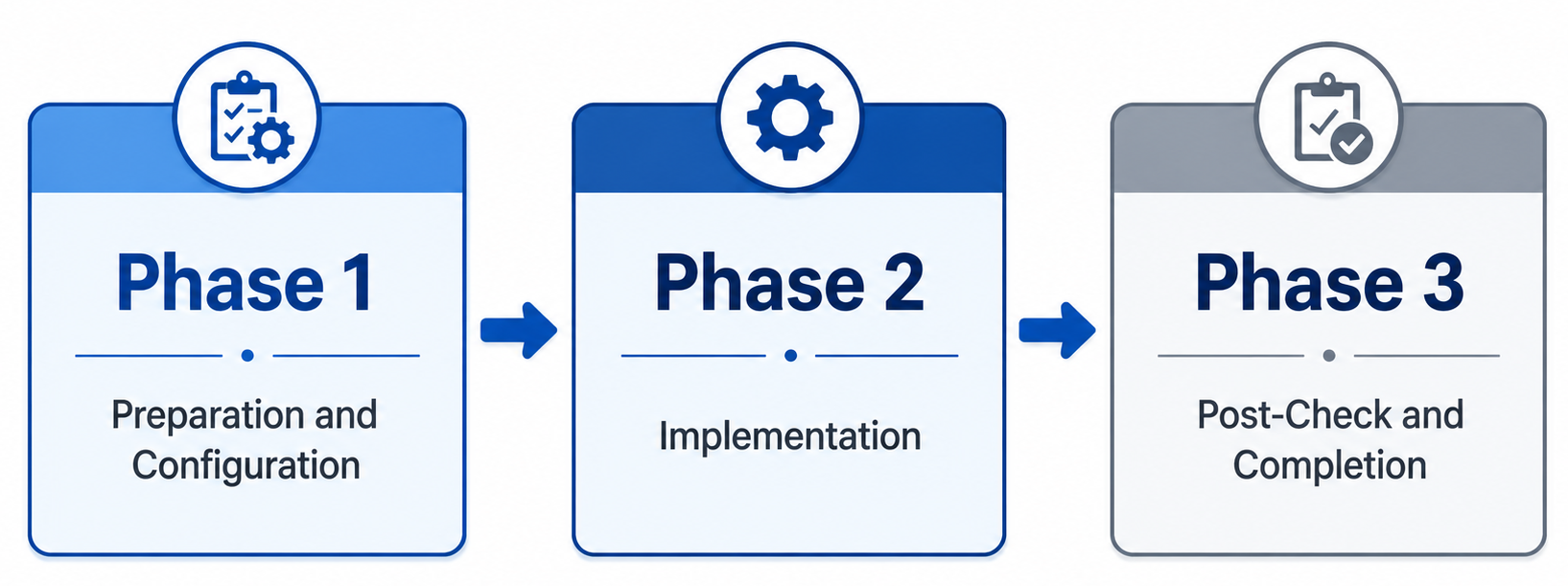
To keep the process as simple as possible, this implementation guide consists of three phases:
The phases of a network migration are:
- Preparation and configuration
- Implementation
- Post-check and completion
Phase 1: Preparation and configuration
In the preparation and configuration phase, all equipment is configured and prepared for implementation. This means I mostly connect all new devices, configure the firmware, updating all firmware to the latest available versions and register the devices into your asset management solution (CMDB).
Before configuring any equipment, the current situation must first be inventoried because you need to know what hardware to order.
1.1 Inventory of the current network
Perform the steps below to gather all required information:
Networks and address spaces
- Perform an IP scan on all networks
- Identify static IP addresses and DHCP reservations
Other systems
- Inventory any camera surveillance system
- Inventory any alarm system
1.2 Configuration of new equipment
The configuration may consist of:
- Replicating the current situation (from step 1.1), or
- A completely new implementation
For a fully new implementation, the list below can be used as a guideline.
Configuration tasks
The following components must be configured on the new network equipment:
- Update firmware and software to the latest available versions
- Configure networks and VLANs
- Configure the DHCP server and address pools
- Configure DHCP reservations
- Configure DNS servers
- Configure required firewall rules
- Open required TCP/UDP ports (DNAT)
- Preconfigure required Site-to-Site VPN connections
Phase 2: Implementation
The implementation phase is the shortest phase. It consists solely of switching the network to use the new equipment and/or a new IP range, DHCP server, or VLAN.
Follow:
- 2.1 when deploying new network equipment
- 2.2 when implementing a new IP range, DHCP server, and/or VLAN
2.1 Deployment of new network equipment
At the start of Phase 2, we assume that the new equipment:
- Is already installed in the customer’s network cabinet
- Is ready for cutover
Preferably, perform these activities outside of the customer’s business hours to minimize outage.
Implementation steps
- Ensure it is clearly known which cables must be switched
- To avoid DHCP and ARP issues, power off all switches completely and save their configurations prior
- Switch the cable(s) identified in step 1
- Verify that the connection is working
- Power on all switches that were turned off
- Verify network connectivity
- Enable any VPN connections (Point-to-Site and Site-to-Site)
Before proceeding to Phase 3, verify whether the following scenario applies.
2.1.1 Firewall – ISP modem → Bridge mode or DMZ
ISPs often provide their own modem. This modem should not be removed, as doing so may result in no support from the provider during outages.
To prevent double NAT, one of the following 2 options must be configured:
Bridge mode (preferred)
- The modem forwards all traffic 1:1
- Effectively functions like an unmanaged switch
- WAN configuration is applied to the deployed firewall:
- IP address
- Subnet mask
- Gateway
- DNS servers
Note: Bridge mode may sometimes only be enabled by the ISP themselves. Take this into account when performing implementations outside of office hours.
DMZ (Demilitarized Zone)
- The modem forwards all traffic to the deployed firewall
- The WAN IP address of the firewall must be known to the modem
- DMZ / Exposed Host must be configured on the modem
With either option correctly configured:
- Internet access should function
- External access to TCP/UDP ports should work
Phase 3: Post-check and completion
The final phase focuses on verifying whether the network implementation was successful.
All implemented components must be tested before leaving the customer — including evenings, weekends, or other special periods.
Work through the checklist from top to the bottom.
If an issue arises it must be resolved before continuing, due to component dependencies.
This ensures the implementation does not cause issues in the (near) future.
3.1 Extended testing list
| Check | Additional information |
|---|---|
| Firewall functionality | Verify the firewall operates correctly and is externally reachable for management |
| Switch functionality | Verify inter-switch traffic and PoE functionality (if applicable) |
| DHCP service | Verify that a connected device receives the correct DHCP lease |
| DNS servers | Verify DNS settings via ipconfig /all |
| Network connectivity | Verify connectivity to the firewall using ping and/or HTTPS |
| Internet access | Verify that endpoints have internet access |
| DHCP reservations | Verify that all reserved devices received the correct leases |
| Site-to-Site VPNs | Verify all Site-to-Site VPN connections |
| Printers | Verify all printers function correctly |
| Scanners | Verify network features such as scan-to-folder, SharePoint, or email |
| Camera surveillance system | Verify cameras and external access (4G/5G), if applicable |
| Alarm system | Verify operation and test with the security provider |
| Open ports / DNAT | Verify all inventoried open ports function correctly |
| Point-to-Site VPNs | Verify all client VPN connections |
3.2 Short test list
- Firewall
- Switches
- DHCP
- DNS
- Network connectivity
- Internet
- DHCP reservations
- VPN – Site-to-Site
- Printers
- Scanners
- Camera surveillance system
- Alarm system
- Open ports / DNAT
- VPN – Point-to-Site
Summary
This page describes how I have done network implementations in the past and use it as a checklist to perform future implementations. Sometimes in the heat of the moment you forget some things here and there. To address this problem, I created this checklist for myself.
End of the page 🎉
You have reached the end of the page. You can navigate through other blog posts as well, share this post on X, LinkedIn and Reddit or return to the blog posts collection page. Thank you for visiting this post.
Support the blog
