Old Printers Control Panel Windows 11
With Windows 24H2 and the deprecation of the old Devices and Printers control panel window, an easy command to still get there is still there. This can be found on this page.
The command
To open the old Devices and Printers control panel window, use the following command in Run or Windows PowerShell:
PowerShell
shell:::{A8A91A66-3A7D-4424-8D24-04E180695C7A}You can open the “Run” application by right-clicking the Start Menu:
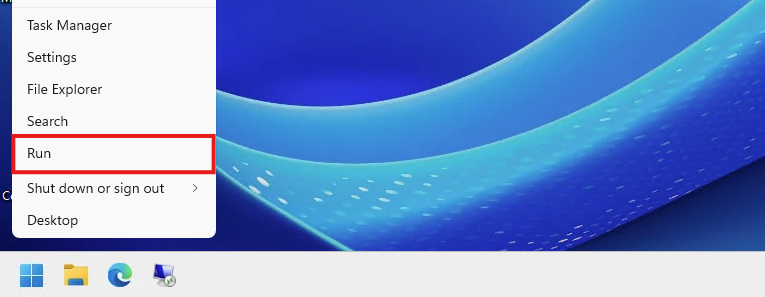
Paste in the command and hit enter:
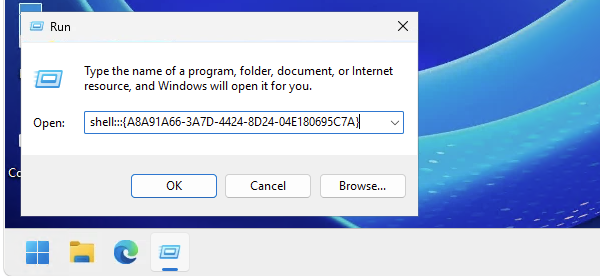
This will bring you to your old beloved Printers control panel item.
End of the page 🎉
You have reached the end of the page. You can navigate through other blog posts as well, share this post on X, LinkedIn and Reddit or return to the blog posts collection page. Thank you for visiting this post.
Support the blog
