Rename name-tags to resource groups and resources
When it comes to naming your Azure Resource Groups and resources, most of them are not renameable. This due to limitations on the platform and maybe some underlying technical limitations. However, it is possible to assign a renameable tag to a resource in Azure which can be changed or used to clarify its role. This looks like this:
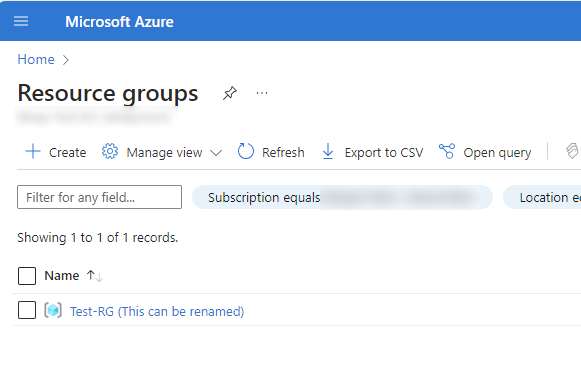
How to add those renameable tags in the Azure Portal?
You can add this name tag by using a tag in Microsoft Azure. In the portal, go to your resource and go to tags. Here you can add a new tag:
| Name | Value |
|---|---|
| hidden-title | “This can be renamed“ |
An example of how this looks in the Azure Portal:
Summary
I thought of how this renameable titels can be used in production. I can think of the following:
- New naming structure without deploying new resources
- Use complex naming tags and a human readable version as name tag
- More overview
- Documentation-purposes
- Add critical warning to resource
These sources helped me by writing and research for this post;
End of the page 🎉
You have reached the end of the page. You can navigate through other blog posts as well, share this post on X, LinkedIn and Reddit or return to the blog posts collection page. Thank you for visiting this post.
Support the blog
