Migrate data to SharePoint/OneDrive with SPMT
At the moment, SharePoint is a better option to store your files because it has the following benefits over a traditional SMB share:
- Single permissions system (No SMB/NTFS permissions)
- High available by default
- No server infrastructure needed
- Users can work at the same file simultaneously
- Integration with Microsoft Teams
The Microsoft SharePoint Migration Tool
Microsoft has a tool available which is free and which can migrate your local data to SharePoint. The targets you can specify are:
- SharePoint
- OneDrive
- Microsoft Teams
Download the tool here: https://learn.microsoft.com/en-us/sharepointmigration/how-to-use-the-sharepoint-migration-tool
When using in a production environment, my advice is to use the “General Availability” option, this version is proven to work like expected.
Using the SharePoint Migration Tool (SPMT)
Install the SharePoint Migration tool on a computer with access to the source fileshare, or on the fileserver itself. How closer to the source, how faster the migration will perform. Also, please check the system requirements: https://learn.microsoft.com/en-us/sharepointmigration/spmt-prerequisites
When the tool is installed, you will get on the landing page:
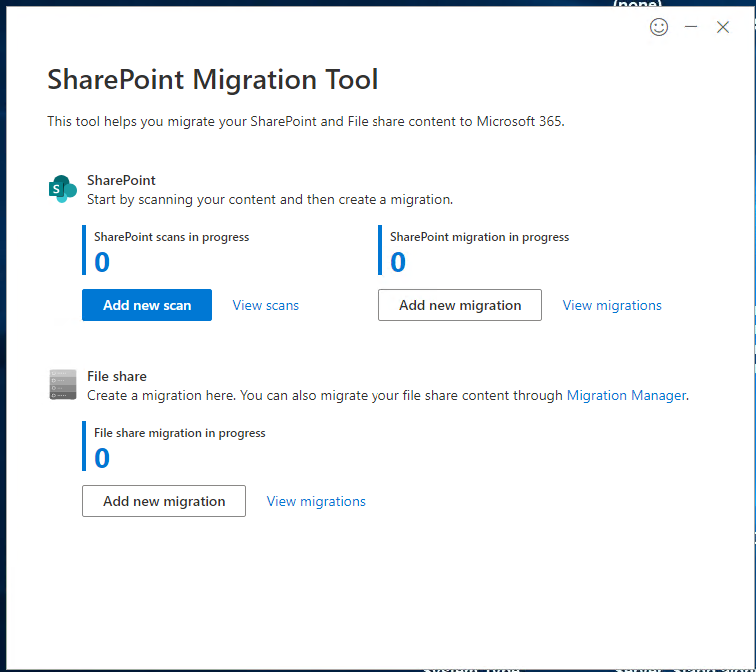
Here you can configure the fileshare (source) and then the destination in SharePoint.
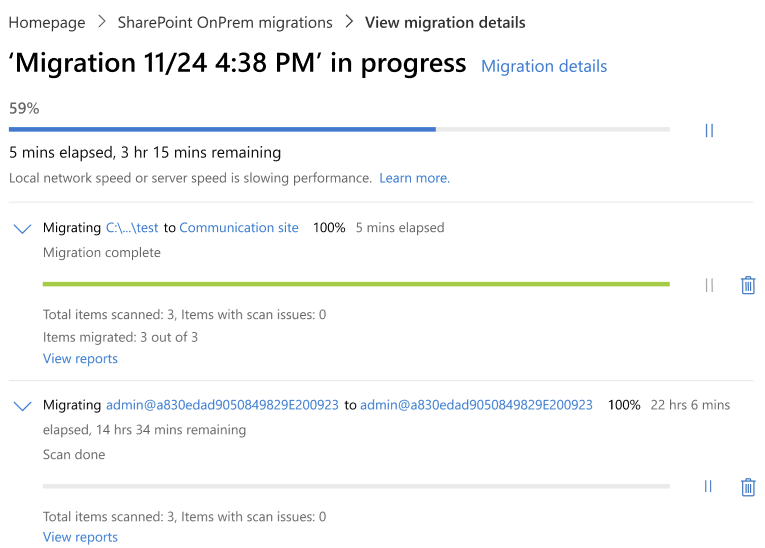
After configuring the task, the tool will take over the hard work and migrates your data to your SharePoint site:
Summary
The SharePoint Migration Tool is a great tool to automate your SharePoint migration and phase out local network folders. It supports resyncing to first do a bulk migration, and later syncing the changes.
Thank you for reading this post and I hope it was helpful.
End of the page 🎉
You have reached the end of the page. You can navigate through other blog posts as well, share this post on X, LinkedIn and Reddit or return to the blog posts collection page. Thank you for visiting this post.
Support the blog
